How can website redesign increase the effectiveness of advertising?
Before we reveal the topic stated in the title, let us make a small remark for the context – let us briefly analyze the features of website advertising. In the topic of this article it is important to mention several variants of such advertising.
- Advertising of the whole company
It is relevant when you advertise not a specific product or service, but in general yourself as a contractor/supplier/counterparty. It often happens in the case of manufacturing companies that sell not a single product, but a whole range of services, including production, delivery, maintenance, etc. In this case, advertising usually leads users to the main page of the site, less often – to the page “About the company”.
- Advertising of a specific product or service.
For example, it can be a car rental service or real estate selection, repair service in an apartment or office, etc.
Sometimes such advertising also leads to the main page of the company, but it is much more logical to create separate pages for specific requests that will be as relevant as possible.
- Native advertising.
The most difficult type of advertising, which will be little covered in this article, because everything depends on the specifics of each individual company. Let us mention it only briefly. Usually, in such cases, advertising leads to specific sections of the site – for example, to the news section or blog, to promotional pages, unique online tools, cases in the portfolio. Less often – to specific products/services.
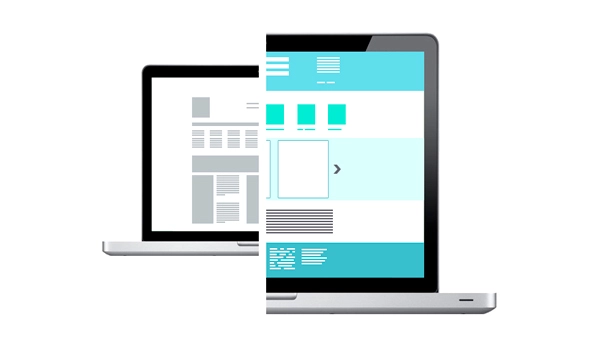
The types of advertising, and more precisely, the page of the site they lead to, determine the actions on the site redesign designed to increase its efficiency.
What points on the site are worth paying attention to
And now in detail about the key elements of the site that directly affect the effectiveness of advertising. In most cases when our clients complained about low efficiency, these elements were made poorly, and after their correction the situation improved.
Page loading speed
If the site takes a long time to load, the site increases the bounce rate – the % of users who left the site immediately after visiting it. This happens because the user is not ready to wait 5-10-15 seconds for the site to load. Long loading time may be due to several reasons – complex site structure, non-optimized illustrations, large amount of code, incorrect layout, etc. You can check the site loading speed using a free service from Google – PageSpeed Insights.
After our redesign, most sites start to open many times faster.
USP (unique selling proposition) in a prominent place
Unique selling proposition (USP) is the most important information on the page to which you have led the user with the help of advertising. It is the USP that contains information on the basis of which the user decides whether to use your offer or not. If the USP is unattractive (to make it attractive, you need to know your target audience well), missing or located somewhere at the bottom of the page, the conversion rate of the site decreases. Users simply do not see your main advantage. To fix this, we put the USP in the most prominent place on the page.
High-quality illustrations on the main page
High-quality illustrations – in high resolution, but not “heavyweight” (so that they load quickly) – is another factor that influences the decision of a user who has come to your site from advertising. If he sees that the pictures are visible “pixels”, or the image “went” on the page, he is likely to think that he got to the site of fraudsters who do not even pay due attention to the maintenance of their site. Therefore, we always pay great attention to illustrations, especially on the main page – in the case of websites, they are also often “met by clothes”. An example of high-quality illustrations can be seen in this case of our studio.
Visible and convenient ice form
Lead form – a field that the user fills in to leave a request.
The user journey here is simple: the site visitor came to you through advertising, got interested in your offer (USP) and decided to try your product. In this case, he leaves his contacts and a comment (optional) for you to contact him. So you get a “lead” – a potential customer interested in your product, who can already be brought to the purchase.
It would seem that the lead form is a simple element, but even in it mistakes are often made, because of which the company loses potential customers. The most common mistakes are an inconspicuous lead form (for example, hidden at the very bottom of the page, or even existing only in the “Contacts” section) and a too complicated lead form (when the user has to fill in a large number of mandatory fields – name, surname, email, phone number, passport data, city of residence, etc.)
We solve this problem simply – we make the lead form visible (sometimes you can even show it twice on the page – right after the USP and below, after the list of benefits) and as easy to fill out as possible.
This point is especially true for the situation when you advertise the whole company, not individual products, or in the case of native advertising. In these cases, the user will most likely want to get to know you better, and one page you brought him to will not be enough – he will start “surfing” the site.
The convenience of the site structure, navigation and search depends on how quickly the visitor can find the information he is interested in. If he finds it quickly and it satisfies him, the probability that he will become your client increases greatly. If not – he will simply leave the site, and the money you spent to bring him will be lost.
Therefore, we always pay great attention to the development of the structure of each site – the basis here is the interests of the target audience of the company.
Optimization for requests
If you advertise a specific product or service, it is better to make separate landing pages on the site and lead the user from the advertisement directly there. Often there is a situation when a person is looking for a specific service, for example, balcony finishing, clicks on an advertisement, and it redirects him to the main page of the company that deals with repairs, and there is nothing about balconies on this page. The visitor sees this, thinks that the company cannot help him and leaves.
To avoid this scenario, we recommend making separate pages for each service. We used this approach, for example, in this case.
Responsiveness for mobile devices
Everything is simple here – everyone knows about the scale of mobile traffic, it is already ahead of desktop traffic. But some sites (mostly old) are still not displayed correctly on mobile devices. Because of this, a company can lose up to half of potential customers during an advertising campaign. We always provide adaptability in our work.
Bright call-to-action
Let’s imagine the situation. The user came to your site through advertising, studied the USP and other information, and liked it. What should he do now? Call you, go to your office, leave contacts for you to contact him or her, buy online? Variability of choice usually leads to a decrease in conversion. It is important to clearly tell the user what exactly you want now.
Therefore, we always formulate a clear and convincing call to action, which depends on the specifics of the company.